Compare AI receptionists and traditional answering services with a practical buyer scorecard, ROI model, workflows, and rollout checklist.
An AI receptionist vs answering service comparison comes down to one question: do you only need someone to pick up the phone, or do you need the call to become a booked appointment, qualified lead, routed request, or CRM record?
A buyer calls at 7:42 p.m. after seeing a listing. A tenant calls during dinner about water under the sink. A business owner calls a broker before work to ask about selling. A mortgage lead calls during lunch because that is the only time they can talk. If those calls become voicemail, delayed messages, or incomplete notes, your team may technically have call coverage but still lose the opportunity.
An AI receptionist vs answering service decision helps small businesses choose the right call-handling model for routine calls, after-hours coverage, appointment booking, lead qualification, and human escalation. This guide explains the practical differences, how to compare costs, and when a hybrid model makes more sense than either option alone.
You will learn:
How an AI receptionist differs from a traditional answering service
Which option fits routine, urgent, sensitive, and high-value calls
How to model cost and missed opportunity without relying on vendor hype
Which features matter for CRM, calendar, privacy, and escalation workflows
How to implement call coverage safely across Canada and the United States
AI receptionist vs answering service means comparing voice AI software that can answer and act on calls against a human-staffed service that usually answers, follows a script, takes messages, and routes calls.
An AI receptionist is a voice AI system trained on your approved business information. It can answer common questions, collect caller details, qualify leads, book appointments, route urgent calls, send call summaries, and update systems such as a CRM or calendar. For a deeper definition, see TalkLuna's guide to an AI answering service.
A traditional answering service is usually a team of live agents who answer calls for many businesses. Agents follow your instructions, collect messages, transfer urgent calls, and send summaries by email, text, or portal. Some answering services can support scheduling or intake, but the workflow often depends on scripts, staffing, and provider-specific integrations.
The practical difference is output. An answering service often creates a message. A well-configured AI receptionist can create a next step.
Small businesses compare AI receptionists and answering services because caller expectations have moved faster than front-office staffing. Customers expect quick answers, accurate context, and clear next steps even when your team is busy, closed, or out on appointments.
Twilio's 2025 State of Customer Engagement research found that 88% of consumers are more likely to buy when engagement is personalized in real time, while 54% want to know when they are talking to AI rather than a human. The same report surveyed 7,640 consumers and 637 business leaders across 18 countries, making transparency and speed central to any AI call workflow. Source: Twilio 2025 State of Customer Engagement press release.
Staffing cost also matters. The U.S. Bureau of Labor Statistics publishes wage benchmarks for receptionists and information clerks through its Occupational Employment and Wage Statistics program. In Canada, the Government of Canada Job Bank lists receptionist wage ranges by region, with the national receptionist median shown as $21.00 per hour in its wage report. Sources: BLS receptionist occupation profile and Government of Canada Job Bank receptionist wages.
That does not mean AI should replace every human interaction. It means the highest-value human time should not be spent asking the same intake questions, copying messages, or calling back people who only needed a booking link, showing time, maintenance triage, or basic pricing guidance.
The best benchmark is not whether the phone was answered. The best benchmark is whether the caller reached the right outcome. A missed call is bad, but a poorly handled answered call can still create lost revenue, compliance risk, or manual cleanup.
Metric | Traditional answering service | AI-enabled receptionist workflow |
Primary output | Message, transfer, or dispatch note | Qualified lead, booked appointment, routed request, transcript, and structured summary |
After-hours coverage | Available on many plans, often priced by minutes or coverage level | Always-on by design, subject to plan limits and escalation rules |
CRM updates | Often manual or summary-based | Can sync structured fields when integrated |
Complex emotional calls | Stronger when trained human judgment is needed | Should escalate to a human or emergency workflow |
This table describes common operating patterns. Actual performance depends on provider setup, business rules, integrations, and call type.
Use a scorecard when the decision affects revenue, customer trust, or regulated data. Rate each criterion from 1 to 5, then weight the categories that matter most to your business.
Criterion | Why it matters | Weight suggestion |
Answer speed | High-intent callers may move on if they wait too long | 10% |
Call completion | The call should end with a booked, routed, or clearly owned next step | 15% |
Human escalation | Sensitive, urgent, or unusual calls need a safe handoff | 15% |
CRM and calendar fit | Manual re-entry creates errors and slow follow-up | 15% |
Privacy and consent | Call recordings, transcripts, and personal data need clear handling | 15% |
Decision rule: choose the option with the highest weighted score, not the option with the lowest monthly price. A cheap service that creates more callbacks may be expensive once staff time and lost opportunities are included.
The cleanest cost model compares total monthly cost against completed call outcomes. Do not compare a software subscription to an answering-service invoice without counting staff callbacks, missed bookings, and CRM cleanup.
Formula: Monthly impact = missed calls x qualified-call rate x average gross profit per converted customer x close rate
120 calls are missed, abandoned, or delayed each month
35% are qualified opportunities
Average gross profit per converted customer is $400
Close rate on qualified phone leads is 20%
120 x 35% x $400 x 20% = $3,360 estimated monthly opportunity at risk. Example only. Replace with your own call volume, qualification rate, gross profit, and close rate. This is not a guarantee.
Cost item | Answering service | AI receptionist | Internal receptionist |
Monthly platform or service fee | Vendor invoice | Vendor invoice | Payroll and benefits |
Overage exposure | Often minutes, calls, after-hours, or holidays | Usually minutes, calls, or plan limits | Overtime or missed coverage |
CRM cleanup | Often manual | Lower when structured fields sync | Manual unless process is strong |
For a narrower pricing breakdown, read TalkLuna's AI receptionist pricing guide.
The right choice depends on call type, risk, and the action you want completed. Most businesses do not need one model for every call.
An AI receptionist answers with a natural voice, identifies caller intent, asks approved intake questions, and follows rules you define. It is strongest when calls are repeatable: appointment requests, listing inquiries, leasing questions, maintenance triage, quote requests, basic FAQs, and routing.
An AI receptionist can also support AI appointment booking when it is connected to your calendar, availability rules, and confirmation workflow.
A traditional answering service is strongest when the business wants a real human voice to acknowledge callers, take messages, and transfer specific situations. It can be a good fit for very sensitive calls, low-volume businesses that only need message capture, or brands that prefer live operators for every conversation.
The limitation is that many answering services stop at the message. If your team still needs to call back, confirm details, book the appointment, or enter data into the CRM, the service has reduced voicemail but not necessarily reduced work.
A hybrid model uses AI for routine calls and humans for escalations. This is often the safest setup for businesses with high call volume plus occasional sensitive issues. AI handles speed and structure. Humans handle judgment, empathy, exceptions, and relationship moments. For human-service comparisons, see AI receptionist vs virtual receptionist.
A good buying process tests workflow quality, not just voice quality. A demo voice can sound polished while the real deployment still fails on routing, consent, CRM data, or escalation.
The AI receptionist should answer only from approved business information: services, hours, locations, policies, pricing rules, emergency definitions, and escalation instructions. Ask how often the knowledge base can be updated and who approves changes.
Call coverage becomes more valuable when outcomes sync into your tools. For real estate, that may mean lead source, property address, showing request, buying timeline, budget, and agent assignment. For property management, it may mean tenant name, unit, issue type, urgency, and work order status. For CRM setup details, see TalkLuna's AI receptionist CRM integration guide.
Every AI receptionist should know when not to continue. Examples include emergencies, angry callers, legal or financial advice requests, medical distress, discrimination-sensitive housing questions, or anything outside approved policy.
Call recordings and transcripts can contain personal information. In Canada, the Office of the Privacy Commissioner of Canada says meaningful consent requires people to understand the nature, purpose, and consequences of collection, use, and disclosure. Source: OPC meaningful consent guidelines.
In the United States, the FTC has warned AI companies to uphold privacy and confidentiality commitments and not use customer data for undisclosed purposes. Source: FTC guidance on AI privacy and confidentiality commitments.
For higher-risk workflows, use a simple governance loop: map the use case, measure performance, manage risks, and assign ownership. This mirrors the core functions in the NIST AI Risk Management Framework, which is designed to help organizations manage AI risks in a practical, use-case-agnostic way. Source: NIST AI RMF 1.0.
Choose based on the work the caller needs completed. A basic message-taking service is enough for some calls. It is not enough when speed, booking, qualification, and structured follow-up drive revenue.
Option | Best fit | Watch out for |
AI receptionist | Routine intake, bookings, FAQs, lead qualification, after-hours coverage, CRM updates | Needs careful setup, testing, disclosure, and human escalation paths |
Traditional answering service | Human message-taking, basic transfers, low-volume coverage, sensitive first-touch calls | May create callback backlog and manual data entry |
Hybrid AI plus human | Businesses with repeatable calls plus occasional sensitive or complex situations | Requires clear rules for when AI escalates |
Internal receptionist | High-relationship environments with constant in-office context | Limited coverage unless you staff nights, weekends, breaks, and overflow |
Workflows show whether the tool can handle your real calls, not just generic demos. Test providers with the call types that actually cost your team time.
Caller asks about a property after hours.
AI receptionist confirms the property, budget, timeline, agent relationship, and preferred showing time.
Qualified buyer lead is routed to the assigned agent and logged in CRM.
Caller receives a confirmation text or next-step message.
Related guide: listing inquiry automation.
Tenant describes an issue such as water leak, no heat, lockout, or appliance failure.
AI asks structured triage questions and classifies urgency based on approved rules.
Emergency calls route to the on-call person. Non-emergency calls become a work order or callback task.
Transcript and summary attach to the tenant or unit record.
Related guide: AI receptionist for property management.
Seller calls about a potential business valuation.
AI collects industry, location, revenue range, reason for selling, timeline, and confidentiality concerns.
Qualified seller inquiry routes to the broker with a summary.
The broker follows up personally for valuation, NDA, and advisory steps.
Borrower calls about pre-approval, renewal, refinance, or purchase financing.
AI collects contact details, purpose, timeline, province or state, purchase price range, down payment range, and preferred appointment time.
The system books or requests a consultation.
Any advice-sensitive question escalates to a licensed professional.
Start with a controlled rollout before forwarding every call. The best deployments begin with clear call types, limited risk, and measurable outcomes.
Audit your last 100 calls. Categorize them as booking, sales inquiry, support, emergency, billing, spam, vendor, or other.
Choose the first workflow. Start with a repetitive, valuable call type such as after-hours lead capture or overflow coverage.
Write approved answers. Include hours, services, locations, pricing boundaries, routing rules, and things the AI must not answer.
Define escalation triggers. List emergencies, angry callers, legal or financial advice, discrimination-sensitive issues, and unknown questions.
Connect systems carefully. Start with notifications, then calendar, then CRM once field mapping is tested.
Run test calls. Test normal callers, confused callers, interruptions, accents, noisy backgrounds, and edge cases.
Review weekly. Track answered calls, completed outcomes, escalations, bad answers, and revenue-related conversions.
If your main problem is call surges during business hours, compare this with an overflow answering service. If your main problem is nights and weekends, review after-hours answering service options.
The best results come from operational discipline, not from simply turning on AI. Treat the AI receptionist like a new front-desk workflow.
Disclose AI clearly. Many customers are comfortable with AI when it is useful, but Twilio found that 54% want to know when they are talking to AI.
Use human escalation generously. If a call is urgent, emotional, regulated, or unusual, route it to a person.
Keep answers narrow. The AI should not improvise policies, prices, legal advice, mortgage advice, or tenant rights guidance.
Review transcripts. Find gaps in training data, routing, caller phrasing, and CRM fields.
Measure outcomes. Track bookings, qualified leads, resolved requests, abandoned calls, escalations, and callbacks.
Most failures happen because the business buys call coverage without designing call outcomes. Avoid these mistakes before launch.
Choosing on price only. The cheapest option may create the most cleanup.
No escalation path. AI should never trap a caller in a loop when a person is needed.
Too much knowledge at launch. Start with approved, high-confidence answers before adding edge cases.
No privacy review. Call recordings and transcripts need retention rules, access controls, and consent language.
Manual CRM copying. If staff still copy every detail, the workflow is not automated.
The future of call answering is outcome-based, not message-based. Businesses will care less about whether the provider is called an answering service, AI receptionist, virtual receptionist, or call center. They will care whether the caller got the right answer, the right appointment, the right routing, and the right follow-up.
AI will likely handle more routine intake, multilingual answering, lead scoring, CRM enrichment, and follow-up. Humans will remain important for trust, empathy, negotiation, complaints, relationship management, and decisions with legal, financial, medical, housing, or employment consequences.
An AI receptionist is usually the stronger fit when calls are repeatable, time-sensitive, and tied to booking, qualification, or CRM workflows. A traditional answering service is still useful when callers need a human from the first second, when the call volume is low and simple, or when the business only wants message capture.
TalkLuna is a Canadian-built Voice AI platform serving businesses across Canada and the United States. TalkLuna helps real estate teams, property managers, business brokers, mortgage brokers, and service businesses answer calls, qualify leads, schedule appointments, and connect call data with CRM workflows.
If you are comparing AI receptionist vs answering service options, start by mapping your real calls. The right answer is the one that turns more calls into the right next step with less delay, less manual work, and a safer escalation path.
An AI receptionist is better when your calls are repeatable and need a completed action such as booking, qualification, routing, or CRM logging. A traditional answering service is better when every call needs immediate human empathy, flexible judgment, or sensitive handling. Many small businesses use AI for routine calls and humans for exceptions.
The main difference is that an answering service usually captures or transfers the call, while an AI receptionist can complete structured actions during the call. Those actions can include answering approved FAQs, booking appointments, qualifying leads, routing emergencies, and syncing structured notes to a CRM.
Callers are less likely to object when the AI is transparent, helpful, fast, and able to hand off to a person when needed. Twilio's 2025 research found that 54% of consumers want to know when they are talking to AI, which makes clear disclosure and useful service important.
An AI receptionist can replace or reduce many routine call-handling tasks, but it should not replace human judgment for sensitive, emotional, regulated, or unusual situations. The safest model is often AI for speed and structure, with humans for exceptions and relationship-heavy calls.
AI receptionist and answering service pricing varies by provider, minutes, call volume, features, and human backup. Compare total cost per completed outcome, not just monthly price, because an answered call that still requires a callback may create hidden labor cost.
Test your most common and highest-risk calls before switching. Include appointment requests, sales inquiries, confused callers, urgent issues, noisy backgrounds, CRM updates, calendar booking, privacy disclosures, and human escalation triggers.
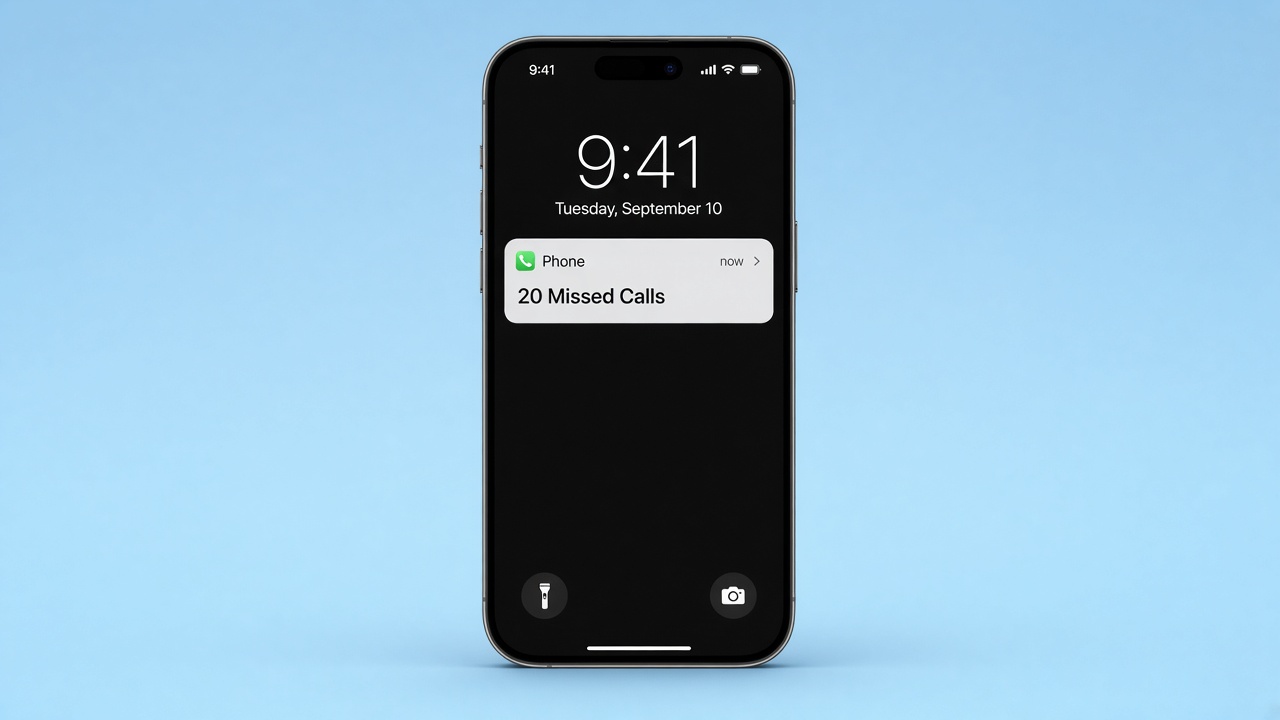
Some agents tell TalkLuna they get up to 30 spam calls a day. See how an AI receptionist filters those calls and still sends real leads to your CRM.
Read more →
TalkLuna has been accepted into Elevate's eCommerce North Tech Accelerator, presented with Moneris. Here is what that Canadian-built association means for small businesses in Canada and across North America.
Read more →
TalkLuna helps Canadian small businesses never miss a call. The Milton Chamber named us a 2026 Entrepreneur of the Year finalist as validation of that work.
Read more →TalkLuna answers when you cannot, qualifies buyer and seller inquiries, and syncs summaries to your CRM.
© 2026 talkluna. All rights reserved. Made for 🇺🇸