Compare AI receptionists, virtual receptionists, answering services, and hybrid call coverage with a practical scorecard, cost model, and rollout plan.
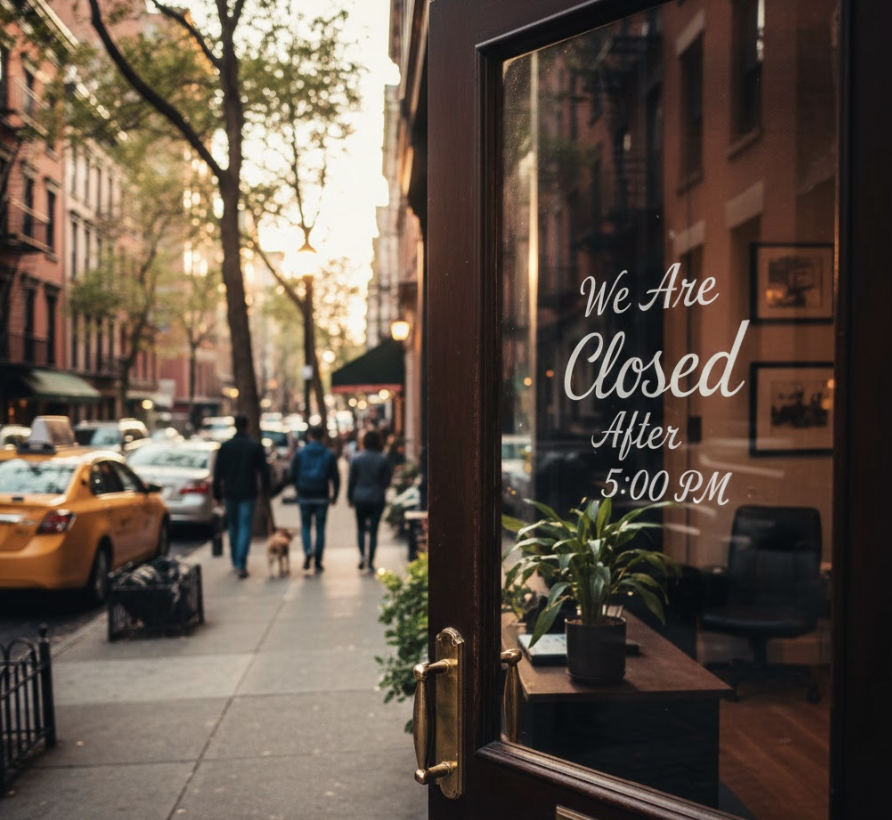
Your phone rings while your team is with a customer, at a showing, on a job site, or already helping someone else. The caller does not know why nobody answered. They only know whether they reached help.
An AI receptionist vs virtual receptionist decision is not really about choosing technology over people. It is about choosing the right front-door system for routine intake, appointment booking, lead qualification, urgent routing, sensitive conversations, and after-hours coverage.
This guide is for small businesses, real estate teams, property managers, business brokers, mortgage offices, home service companies, and local service businesses comparing phone coverage options across Canada and the United States.
You will learn how AI receptionists, human virtual receptionists, answering services, and in-house staff compare on cost, coverage, caller experience, CRM updates, compliance, and implementation risk.
An AI receptionist uses conversational voice AI to answer calls, ask structured questions, book appointments, route urgent calls, and update business systems. A virtual receptionist is usually a remote human receptionist or shared live-agent team that answers calls on your behalf.
For most North American small businesses, the strongest model is often hybrid: AI answers routine, after-hours, and overflow calls instantly, while humans handle complex, emotional, high-value, or policy-sensitive conversations.
If you need a broader category overview, start with TalkLuna's guide to an AI answering service. If price is your immediate question, compare billing models in our AI receptionist pricing guide.
An AI receptionist is phone software that can hold a spoken conversation with a caller and complete front-desk tasks based on approved business rules. It is not a voicemail greeting or a basic phone tree.
A well-configured AI receptionist can answer calls 24/7, identify caller intent, collect contact details, ask qualification questions, answer approved FAQs, book appointments, route urgent calls, and send structured summaries into a CRM, calendar, email inbox, or team workflow.
The best AI receptionist knows its boundaries. It should stay inside approved business information and escalate when the caller asks for judgment, regulated advice, complex pricing, complaint resolution, or a human relationship.
A virtual receptionist is usually a remote human who answers business calls from outside your office. Some providers use dedicated agents, while others use shared call-center staff who follow scripts for many businesses.
A human virtual receptionist can greet callers in your business name, take messages, transfer calls, screen inquiries, schedule appointments if trained, and handle more nuance than a script-only answering service.
The strength is human judgment. The tradeoff is capacity. Human coverage depends on staffing, hours, queues, training, turnover, and billing rules. During call spikes, nights, weekends, holidays, or bilingual coverage needs, costs and consistency can change quickly.
In Canada, the Government of Canada's NOC 14101 profile for receptionists describes receptionists as answering and forwarding calls, providing information, scheduling appointments, and performing clerical duties. Those duties map closely to what buyers expect from both human and AI receptionists.
Most small businesses do not have a phone problem. They have a timing problem. Calls arrive when the best person is busy: agents are in showings, technicians are on site, property managers are handling maintenance issues, brokers are in confidential meetings, and mortgage staff are working borrower files.
Speed matters because many callers are already ready to act. Harvard Business Review's article The Short Life of Online Sales Leads reported that firms contacting leads within an hour were nearly seven times more likely to qualify the lead than those that waited even an hour longer. Phone callers often expect an even faster response because they chose a live channel.
Customer expectations are moving in the same direction. Twilio's 2025 State of Customer Engagement release reported that 88% of consumers are more likely to buy when engagement is personalized in real time, while 71% walk away from purchases when experiences feel irrelevant.
Those findings do not mean every call should be automated. They mean the first response cannot be left to chance.
Use this benchmark to compare receptionist options before you buy. The numbers below are decision areas to test during demos and pilots, not vendor promises.
Decision area | AI receptionist | Human virtual receptionist | Traditional answering service |
|---|---|---|---|
Best fit | Routine intake, after-hours calls, booking, lead capture, overflow | Complex calls, empathy-heavy calls, premium caller experience | Basic message-taking and simple routing |
Coverage | 24/7 if configured | Depends on plan and staffing | Often after-hours or shared-agent coverage |
Simultaneous calls | Can answer many at once | Limited by available agents | Limited by queue and staffing |
CRM and calendar updates | Can be automatic | Often manual or limited | Often message-only |
Main risk | Poor escalation rules or over-automation | Higher cost and variable quality | Thin context and callback delays |
The best option is the one that matches call complexity, not the newest label.
Score any AI receptionist, virtual receptionist, or hybrid service before signing. Give each item 0, 1, or 2 points. A score of 16 or higher suggests the vendor is ready for a pilot. A score below 12 means the workflow is probably not documented enough yet.
Criterion | What to test | Score |
|---|---|---|
Answer speed | Does the caller reach help quickly during business hours, after hours, and overflow? | 0-2 |
Call classification | Can it separate leads, customers, vendors, spam, urgent calls, and existing clients? | 0-2 |
Appointment workflow | Can it book, request, reschedule, or route appointments based on your actual rules? | 0-2 |
Human handoff | Does it transfer complex calls with context instead of making callers repeat themselves? | 0-2 |
Knowledge boundaries | Does it avoid unsupported answers on pricing exceptions, policy, legal, medical, or financial advice? | 0-2 |
CRM or inbox output | Does it send structured data, not just a generic paragraph? | 0-2 |
Compliance support | Does it support consent, opt-out, privacy, retention, and review requirements? | 0-2 |
This scorecard works for general SMBs and for industry-specific use cases such as AI receptionists for property management, business brokers, and mortgage brokers.
A receptionist service should be evaluated against the value of calls it saves, not only the monthly subscription.
Formula: missed qualified calls per month x booking rate x average gross profit per booked customer = monthly opportunity at risk
Example for a local service business: 60 missed or delayed calls per month x 40% qualified prospects x 25% booking rate x $450 average gross profit = $2,700 in monthly opportunity at risk.
Example only. Replace the inputs with your own call logs, close rates, and gross profit. This is not a guarantee of revenue.
Option | Cost drivers | What to include in ROI math |
|---|---|---|
AI receptionist | Plan, minutes, call volume, integrations, setup | Recovered calls, booked appointments, faster routing, reduced admin |
Human virtual receptionist | Per-minute billing, bundles, after-hours coverage, overages, training | Fewer missed calls, better caller experience, human judgment |
Answering service | Per-call charges, message delivery, after-hours plans | Message capture, fewer voicemails, callback speed |
In-house receptionist | Wages, payroll taxes, benefits, recruiting, training, sick time | Walk-in support, internal coordination, consistent brand voice |
For U.S. staffing context, O*NET's Receptionists and Information Clerks profile lists 2025 median wages of $18.27 per hour and $38,010 annually. Fully loaded employment cost is usually higher once payroll taxes, benefits, management time, and coverage gaps are included.
An answering service usually focuses on taking messages and relaying information. A virtual receptionist usually provides a higher-touch human front desk. An AI receptionist can answer, qualify, book, route, and update systems automatically.
The labels blur because vendors use them differently. Compare what happens after the greeting. Can the caller complete the next step during the call? Can the service answer overflow? Does it update the CRM? Does it know what to refuse? Those answers matter more than the category name.
For a small business overview, see TalkLuna's answering service for small businesses page.
An AI receptionist is usually the better first choice when calls are repeatable, time-sensitive, and easy to structure. Strong AI-fit calls include appointment booking, rescheduling, new lead intake, missed-call recovery, after-hours inquiries, listing questions, leasing questions, service-area questions, basic pricing ranges from approved content, maintenance triage, and call routing by location or urgency.
AI works best when the business has clear rules. If your team can write the workflow on paper, AI can often run the first step consistently. TalkLuna covers one industry example in the guide to a real estate answering service.
A human virtual receptionist is usually better when the caller needs judgment, reassurance, negotiation, or a relationship-heavy first impression. Human-fit calls include angry customers, distressed callers, sensitive medical or financial questions, high-value sales conversations, VIP clients, policy exceptions, and situations where empathy matters more than speed.
Human support is also useful when the business has not documented its call rules. If nobody can explain when to book, quote, transfer, refund, qualify, or escalate, AI will expose that process gap quickly.
A hybrid receptionist model uses AI for speed and structure, then routes the right calls to humans. AI answers, identifies intent, handles routine calls, collects structured data, and escalates sensitive, urgent, or high-value conversations. The human receives context before the handoff, and the CRM record is updated after the call.
This model avoids two weak extremes: paying humans to answer the same basic questions all day, or forcing AI to handle calls that deserve a person. For many businesses, AI should be the first responder, not the final authority.
The best receptionist service should produce a clean business outcome, not just an answered call. Look for intent detection, appointment scheduling, CRM integration, escalation rules, quality review, multilingual support where needed, and privacy controls.
Receptionist workflows can involve call recordings, transcripts, texts, CRM data, and personal information. NIST's AI Risk Management Framework describes trustworthy AI characteristics such as validity, safety, security, accountability, transparency, privacy enhancement, and fairness in its AI trustworthiness guidance. Those ideas are practical buying criteria, not just policy language.
For U.S. outbound calling and prerecorded call workflows, review FTC guidance on telemarketing and the Telemarketing Sales Rule. For Canadian SMS follow-up, the CRTC's CASL FAQ explains consent, identification, and unsubscribe requirements for commercial electronic messages. In both countries, get legal advice for regulated or outbound campaigns.
New lead call: the caller asks about a service, property, listing, valuation, or appointment. AI confirms the reason, captures name, phone, location, timeline, and urgency, answers approved FAQs, books or requests the next step, and sends the team a summary before follow-up.
After-hours call: the caller reaches the business after the team is offline. AI answers, checks urgency, turns routine calls into appointment requests or callback tasks, escalates urgent calls, and gives non-urgent callers a clear expectation for response time.
Human escalation call: the caller is upset, asks for advice outside policy, or raises a complex situation. AI acknowledges the issue, avoids unsupported promises, collects the minimum useful context, and transfers or creates a priority task for a human.
Start with a controlled rollout. Audit your last 100 calls, group them by reason, and label each call type as automate, assist, or escalate. Write the caller promise so the receptionist knows what it can say, book, quote, and promise.
Next, define required fields, connect the next step to CRM or calendar, and pilot after-hours coverage first. Nights and weekends are often the safest place to recover missed opportunities without disrupting daytime operations.
Review calls daily for two weeks. Look for wrong answers, weak handoffs, missing fields, unnecessary escalations, and caller confusion. Expand to daytime overflow only after the workflow is stable. Re-score monthly against missed calls, booking rate, CRM record completeness, and caller feedback.
The most common mistake is buying by label. Ask what the service actually does after the greeting. A virtual receptionist, answering service, AI answering service, and AI receptionist can describe very different workflows.
Other mistakes include skipping human handoff rules, automating unclear policies, ignoring data quality, comparing only monthly price, and forgetting consent requirements for outbound calls, texts, reminders, or marketing follow-up.
Receptionist work is moving from message-taking to workflow execution. Older phone systems routed calls. Answering services took messages. Virtual receptionists added a human front-desk layer. Voice AI now lets businesses answer, qualify, book, route, and update systems in the same conversation.
The next advantage will not come from sounding more human. It will come from knowing when to be fast, when to be precise, and when to hand the caller to a person. That matters for North American businesses with mixed caller expectations, multilingual markets, and regulated follow-up workflows.
The right choice in the AI receptionist vs virtual receptionist decision depends on call complexity, hours of coverage, budget, and the cost of missed calls. Choose AI when your main problem is speed, consistency, after-hours coverage, appointment booking, and structured lead capture. Choose a human virtual receptionist when calls require empathy, judgment, negotiation, or sensitive handling. Choose a hybrid when you need both.
TalkLuna is a Canadian-built Voice AI platform serving businesses across Canada and the United States. TalkLuna helps real estate teams, property managers, business brokers, mortgage offices, home service companies, and SMBs answer calls, qualify leads, schedule appointments, and connect call data with CRM workflows.
If your phones are already creating missed opportunities, start by measuring the leak. Then choose the receptionist model that fixes the leak without weakening the caller experience.
An AI receptionist is software that answers calls with conversational voice AI, while a virtual receptionist is usually a remote human who answers calls for your business. AI is stronger for instant coverage, routine intake, appointment booking, and CRM updates. Human virtual receptionists are stronger for complex, emotional, or judgment-heavy conversations.
An AI receptionist is better when most calls are repeatable, time-sensitive, and easy to route or book. A virtual receptionist is better when callers need human empathy or nuanced decision-making from the first moment. Many small businesses get the best result by using AI for first response and humans for escalations.
An AI receptionist is not the same as a traditional answering service. A traditional answering service often takes messages and routes calls, while an AI receptionist can qualify callers, answer approved FAQs, book appointments, and update CRM records. Some vendors use the terms interchangeably, so buyers should compare actual workflows.
AI receptionist pricing usually depends on plan, minutes, call volume, integrations, and setup, while human virtual receptionist pricing often depends on per-minute billing, bundled minutes, after-hours coverage, and overages. The better comparison is cost per useful outcome, such as booked appointment, qualified lead, or resolved call.
An AI receptionist can replace some routine call-answering tasks, but it should not replace human judgment where empathy, negotiation, policy exceptions, or regulated advice are required. In many businesses, AI protects the human team by handling repetitive calls and routing the right conversations to people faster.
Small businesses should test real calls before choosing a receptionist service: new lead, appointment request, price question, urgent issue, upset customer, spam call, after-hours caller, and a question the service should not answer. The best test is whether the caller gets a useful next step and whether the team receives clean, actionable information afterward.
Franchise brands lose leads when local phones hit voicemail after hours, during rushes, or on weekends. This guide shows how AI answering captures calls, routes them by location, and protects brand standards.
Read more →A practical guide to AI receptionists for home service businesses, including emergency triage, booking workflows, ROI math, integrations, and vendor evaluation criteria.
Read more →AI receptionist pricing usually depends on minutes, call volume, integrations, and human handoff. Use this North American buyer guide to compare costs, ROI, and plans.
Read more →TalkLuna answers when you cannot, qualifies buyer and seller inquiries, and syncs summaries to your CRM.
Blog
Case Studies
Integrations
© 2026 talkluna. All rights reserved. Made for 🇺🇸