A practical guide to choosing an after-hours answering service for small businesses, with AI workflows, ROI math, escalation rules, and North American compliance notes.
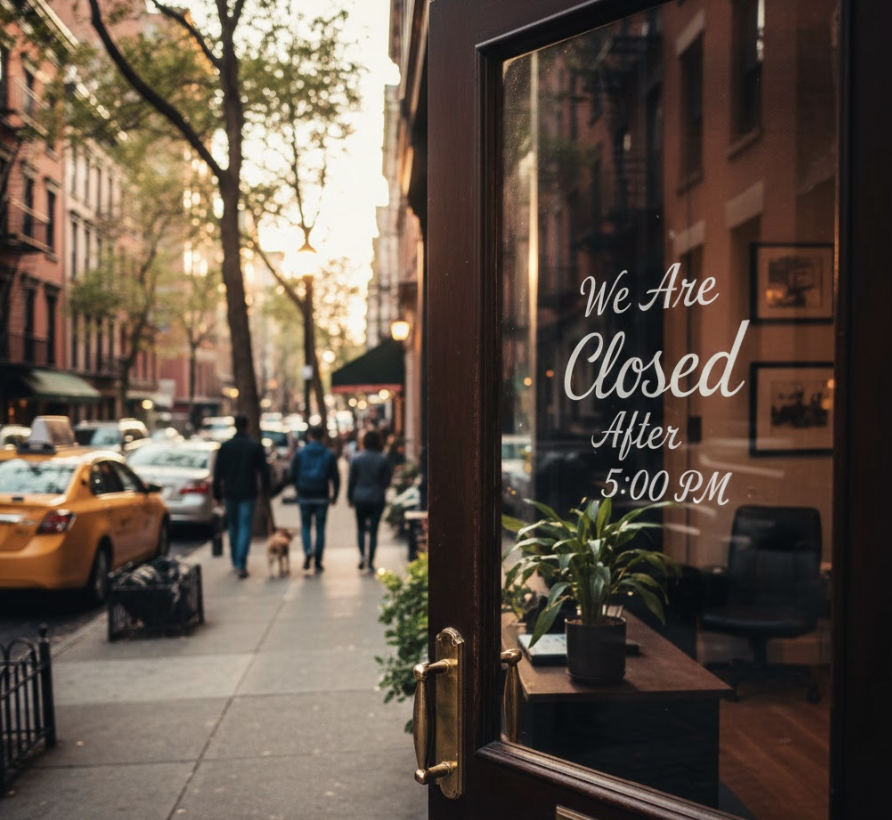
An after-hours answering service for small business helps owners capture calls when staff are closed, busy, on job sites, or asleep. The best setup does more than take messages. It answers live, qualifies the caller, routes urgent issues, books appointments when appropriate, and gives your team clean follow-up notes.
A customer calls at 8:43 p.m. because a pipe is leaking, a tenant has no heat, a buyer wants to ask about a listing, or a patient needs to reschedule. If the call hits voicemail, the caller may wait. More often, the caller searches again and calls a competitor that answers.
This guide explains how to choose after-hours coverage without overbuying, underprotecting urgent calls, or creating messy follow-up work. You will learn what an after-hours answering service should do, how voicemail, live answering, AI receptionists, and hybrid models compare, how to calculate revenue at risk, how to design escalation rules, and what to check before connecting call data to a CRM, calendar, or SMS workflow.
An after-hours answering service for small business is a call handling system that answers inbound calls outside staffed hours, including evenings, weekends, holidays, lunch breaks, and overflow periods. Depending on the model, it may take messages, qualify leads, schedule appointments, route urgent calls, send notifications, or log call details into your CRM.
The phrase used to mean a human call center that answered phones at night. Today it can also mean a virtual receptionist, an AI receptionist, an AI answering service, or a hybrid workflow where AI handles routine calls and humans handle sensitive exceptions. For small businesses, the goal is not to sound bigger than you are. The goal is to make every caller feel acknowledged and to give your team enough information to act quickly.
Small businesses struggle with after-hours calls because customer demand rarely follows office hours. Homeowners call after work. Tenants call when a maintenance issue happens. Real estate buyers browse listings at night. Business owners ask for quotes between meetings. Local service businesses often generate calls when the owner is driving, serving customers, or already on another call.
The operational problem is simple: one phone line can create work for sales, scheduling, dispatch, support, billing, and the owner at the same time. If that line goes to voicemail, the business loses context. If every after-hours call rings the owner, the owner loses sleep and still cannot answer concurrent calls. If a traditional answering service only takes messages, the next morning still starts with manual cleanup.
A good after-hours workflow separates three questions: who is calling, how urgent the call is, and which system should receive the record. A new lead, existing customer, tenant, vendor, patient, or spam caller should not all create the same notification. A true emergency, a same-day review item, and a next-business-day callback also need different routes.
Small businesses make up most of the North American business market, which is why missed-call systems matter at scale. The U.S. Small Business Administration Office of Advocacy reports 36,207,130 small businesses in the United States, representing 99.9 percent of U.S. businesses. Statistics Canada reported 1.37 million employer businesses in Canada and 3.67 million non-employer businesses with annual revenues greater than $30,000 in December 2025.
Hiring coverage is also expensive. The U.S. Bureau of Labor Statistics lists receptionists at $37,230 median annual pay in 2024, before employer taxes, benefits, management time, turnover, and the fact that one person cannot cover 24/7 hours alone.
Benchmark | What it means for after-hours coverage | Source |
|---|---|---|
36,207,130 U.S. small businesses | The market is crowded, so responsiveness can become a local ranking and conversion advantage. | SBA Office of Advocacy |
1.37 million Canadian employer businesses | Canadian SMBs face the same phone coverage issue, with added bilingual and privacy considerations in some markets. | Statistics Canada |
$37,230 U.S. median annual receptionist pay | Staffed coverage has real payroll cost before benefits, scheduling, and night or weekend coverage. | U.S. BLS |
24/7 buyer expectations | Customers can search, call, compare, and book outside office hours, so voicemail creates a weak handoff. | Operational benchmark |
Use these figures as context, not as a guarantee of call volume or return. Your own call logs should drive the business case.
Use this scorecard to compare providers. Score each item from 0 to 3, where 0 means missing, 1 means basic, 2 means usable, and 3 means strong. A provider below 16 out of 24 is usually message taking. A provider at 20 or higher can likely function as an after-hours operating layer.
Answer reliability: can the service answer every after-hours call, including simultaneous calls during weather events, campaigns, open houses, or seasonal peaks?
Caller intent capture: does it collect name, phone number, email, service need, location, urgency, and preferred next step in structured fields?
Urgency routing: can it separate emergencies from routine messages without waking the owner for every call?
Appointment booking: can callers book into Google Calendar, Calendly, a dispatch calendar, or a CRM without waiting for a callback?
CRM and workflow integration: can call summaries sync to tools such as HubSpot, Follow Up Boss, Pipedrive, Jobber, ServiceTitan, HighLevel, or a help desk?
Human fallback: can sensitive, complex, VIP, or regulated calls route to a person with context?
Privacy and consent controls: can you configure recording notices, data retention, SMS consent, and access controls for U.S. and Canadian operations?
Reporting and QA: can you review transcripts, missed intents, booking outcomes, escalation accuracy, and caller experience?
The right cost model compares subscription expense against gross profit recovered from calls that would otherwise be missed. Do not calculate only payroll savings. Calculate captured demand.
Formula: after-hours calls per month x valid opportunity rate x close rate x gross profit per customer = estimated monthly gross profit at risk.
Example only: 40 after-hours calls per month x 50 percent valid opportunities x 30 percent close rate x $450 gross profit per new customer = $2,700 estimated monthly gross profit at risk. If an AI answering service costs $99 per month plus usage, and it helps recover even part of that demand, the business case can be strong. If your average job value is low, your call volume is tiny, or callers are mostly existing customers with non-urgent requests, a lower-cost overflow or voicemail-plus-text workflow may be enough.
Example only. Replace these inputs with your own call logs, conversion rate, gross margin, and service cost. This is not a guarantee of revenue.
An AI after-hours answering service uses voice AI to hold a natural phone conversation, follow your call rules, and trigger next steps. It should not be a generic phone tree. It should act like a trained front desk for the specific calls your business receives.
The first job is to answer quickly using your business name and a clear greeting. The AI should identify whether the caller is a new prospect, existing customer, tenant, vendor, applicant, patient, or wrong number. This matters because each caller type needs a different workflow.
The system should ask enough questions to determine what happens next. A roofing company may ask whether there is active water intrusion. A property manager may ask whether there is flooding, no heat, or a lockout. A business broker may ask whether the caller is a buyer, seller, lender, or advisor. Clear urgency rules prevent two bad outcomes: missing real emergencies and treating every routine call like an emergency.
The best after-hours workflow moves the caller forward. That can mean booking a consultation, sending a scheduling link, transferring to an on-call person, creating a CRM lead, opening a support ticket, or sending an SMS confirmation. Message taking is still useful, but only when message taking is the right next step. For high-intent calls, booking or routing is usually better.
An after-hours answering service should send your team a summary that is easy to act on. At minimum, that summary should include caller identity, contact details, reason for calling, urgency, requested service, promised next step, and a transcript or recording if your policy allows it. For more on the category, TalkLuna's guide to an AI answering service explains how AI call answering works for SMBs.
A strong buying process starts with features tied to business outcomes, not feature lists copied from vendor pages. Look for scheduled call forwarding, overflow routing, caller-type rules, CRM and calendar integrations, bilingual support, transcript access, analytics, and an easy way to test calls before relying on the system.
Call type | Best next step | Watch out for |
|---|---|---|
Routine quote request | Capture details and book or create next-day follow-up | Letting the lead sit in an email inbox with no owner |
Existing customer support | Identify account, summarize issue, create ticket | Treating support calls as new sales leads |
True emergency | Transfer to on-call person and send full context | Over-escalating vague calls that could wait |
Sensitive or regulated call | Route to trained staff or approved protocol | Letting AI provide advice outside its role |
Spam or vendor call | Tag and suppress from urgent notifications | Polluting CRM reports with junk records |
For TalkLuna users, relevant internal resources include TalkLuna integrations, AI receptionist pricing, and the answering service for small businesses industry page.
After-hours calls often include personal information. Businesses operating in the United States should review privacy and security practices using resources such as the FTC business privacy and security guidance. Canadian businesses should review PIPEDA guidance from the Office of the Privacy Commissioner of Canada.
If your workflow sends SMS follow-ups, review consent requirements. In Canada, start with Canada's Anti-Spam Legislation. In the United States, review the FCC's TCPA information. For AI governance, the NIST AI Risk Management Framework is a useful reference for testing, monitoring, and managing AI-related risks.
The right choice depends on call complexity, volume, budget, and how much workflow automation you need.
Option | Best fit | Watch out for |
|---|---|---|
Voicemail | Very low call volume, non-urgent inquiries, no budget | Weak caller experience and little structured data |
Traditional answering service | Businesses that want a live human for every call | Per-minute pricing, script limits, variable quality, manual handoffs |
Virtual receptionist | Professional services that value high-touch human interaction | Higher cost and limited concurrent capacity |
AI receptionist | Routine lead capture, booking, FAQs, routing, after-hours coverage, and CRM logging | Needs careful setup, testing, and escalation boundaries |
Hybrid AI plus human fallback | Businesses with mostly routine calls and some sensitive exceptions | Requires clear rules for when human fallback is triggered |
For a deeper buyer comparison, see TalkLuna's AI receptionist vs virtual receptionist guide.
Caller reaches the business after closing.
AI asks for name, phone, address, service issue, and whether there is active damage or safety risk.
If the issue meets emergency criteria, AI transfers to the on-call technician and sends a summary by SMS or email.
If the issue is urgent but not emergency, AI books the earliest available slot or creates a high-priority callback task.
If the issue is routine, AI captures details and sends a confirmation for next-business-day follow-up.
Caller asks about a listing, showing, rental, maintenance issue, or owner question.
AI identifies the caller type: buyer lead, seller lead, tenant, owner, vendor, or agent.
For leasing or listing calls, AI captures budget, location, timeline, and preferred contact method.
For maintenance calls, AI classifies emergency, urgent, or routine and routes according to the property manager's policy.
The call summary syncs to the CRM or property management workflow.
TalkLuna has related guides for real estate answering service and AI receptionist for property management teams.
Caller requests a consultation after hours.
AI captures name, contact details, company, reason for inquiry, urgency, and conflict-screening basics if required by the business.
AI offers available consultation times or sends a booking link.
Sensitive or complex calls route to a human intake path.
The CRM receives the call summary, source, and next action.
Start with your own call patterns before choosing software. Audit missed calls, voicemail volume, call times, lead sources, and repeat caller types. Define which calls should become bookings, CRM leads, tickets, transfers, or next-day callbacks. Write emergency, urgent, routine, and blocked-call criteria in plain language. Build short caller scripts for each caller type. Connect calendar, CRM, SMS, email, help desk, or dispatch tools where needed. Then test your own number with routine, urgent, spam, bilingual, angry, and out-of-scope scenarios.
Keep the greeting clear so callers know they reached the right business.
Ask fewer, better questions. Every question should support routing, qualification, booking, or compliance.
Separate emergencies from inconvenience. Over-escalation trains staff to ignore alerts, while under-escalation creates risk.
Use structured fields so follow-up, reporting, and automation are stronger than plain notes.
Disclose recording where required and test bilingual scenarios in Canadian and U.S. markets that need multilingual support.
Keep humans in the loop for empathy, judgment, professional advice, regulated intake, and high-value exceptions.
Buying only on price when a cheap service misses urgency, books incorrectly, or sends vague notes.
Using generic scripts for plumbers, real estate teams, mortgage brokers, business brokers, dental offices, and property managers.
Treating SMS as automatic consent instead of designing opt-in, opt-out, and recordkeeping steps.
Skipping CRM cleanup so every call becomes a messy note the team must decipher later.
Forgetting escalation backup when the on-call person misses a transfer.
Never reviewing calls, transcripts, missed intents, and edge cases after launch.
After-hours answering is moving from message taking to workflow automation. The next advantage is not just answering the phone. It is connecting the phone call to qualification, scheduling, CRM updates, routing, follow-up, and reporting. This shift matters for small businesses because it gives owners a way to compete with larger companies without staffing a night desk. It also raises the standard for buyers. A caller who can book a service call at night may not tolerate voicemail from the next provider.
The strongest systems will combine AI speed with human judgment. AI will handle routine FAQs, lead capture, appointment booking, and structured summaries. Humans will handle sensitive conversations, exceptions, complaints, high-value negotiations, and professional advice.
An after-hours answering service is worth evaluating if phone calls drive revenue, appointments, tenant satisfaction, patient scheduling, or customer retention. The best solution is not always the most automated or the most human. It is the one that answers quickly, captures clean data, routes urgency correctly, and fits your operating model.
TalkLuna is a Canadian-built Voice AI platform serving businesses across Canada and the United States. TalkLuna helps small businesses answer calls, qualify leads, send instant summaries, route urgent callers, and connect call data with CRM and scheduling workflows. If you want to compare costs before testing, start with AI receptionist pricing and then map your own call volume using the ROI model above.
The best after-hours answering service for small business is the one that matches your call complexity, budget, and urgency rules. Voicemail may work for very low-risk calls, live receptionists may fit sensitive conversations, AI receptionists work well for routine lead capture and booking, and hybrid models work when most calls are routine but some need human judgment.
Yes, AI can answer business calls after hours when it is configured with your services, hours, FAQs, booking rules, and escalation paths. AI is strongest for routine questions, lead capture, appointment scheduling, call routing, and summaries. Calls that require professional advice, crisis judgment, or high emotional sensitivity should route to a human.
An after-hours answering service can range from low-cost voicemail replacement to higher-cost live receptionist or hybrid coverage. Traditional services often use per-minute or per-call pricing, while AI receptionist platforms commonly use monthly plans plus usage. The right comparison is cost per useful outcome, such as booked appointments, qualified leads, or resolved urgent calls.
An after-hours answering service is usually better than voicemail when callers need a response, appointment, emergency route, or confirmation. Voicemail can be acceptable for low-urgency businesses, but it does not qualify intent, route urgency, book appointments, or create structured CRM records. For call-driven SMBs, voicemail is often a weak customer experience.
An after-hours AI receptionist should ask for the caller's name, phone number, reason for calling, location or account identifier, urgency, preferred next step, and any industry-specific details needed for routing. It should avoid collecting unnecessary sensitive information. The questions should be short enough to keep the caller engaged and structured enough for your team to act.
Canadian and U.S. businesses can use similar after-hours call workflows, but privacy, consent, language, and messaging rules may differ. Canadian businesses should consider PIPEDA, provincial privacy laws where applicable, CASL for electronic messages, and French-language expectations in some markets. U.S. businesses should review federal and state privacy rules, TCPA considerations for calls and texts, and any industry-specific obligations.
A practical North American guide to real estate lead routing for brokerages and teams, including AI call handling, routing rules, CRM fields, SLAs, compliance notes, and ROI math.
Read more →A practical North American guide to mortgage answering services, including AI vs live options, borrower intake, compliance guardrails, ROI math, and setup steps.
Read more →A practical guide for landlords and small property managers comparing AI receptionists, answering services, and voicemail for tenant calls, maintenance triage, and rental inquiries.
Read more →TalkLuna answers when you cannot, qualifies buyer and seller inquiries, and syncs summaries to your CRM.
Blog
Case Studies
Integrations
© 2026 talkluna. All rights reserved. Made for 🇺🇸